DTF

Stop building gang sheets by hand.

Drag your designs onto any sheet size, let Auto-Arrange pack them for maximum coverage, and export a print-ready PNG — no Photoshop, no Canva, no subscription.

$34.99 one-time · yours forever
Instant download
Works offline
Any DTF supplier
Desktop only. The canvas editor requires a laptop or desktop — Chrome, Safari, Firefox, or Edge. Not suited for phone screens.
TRIPLE THREAD LABS DTF Gang Sheet Builder
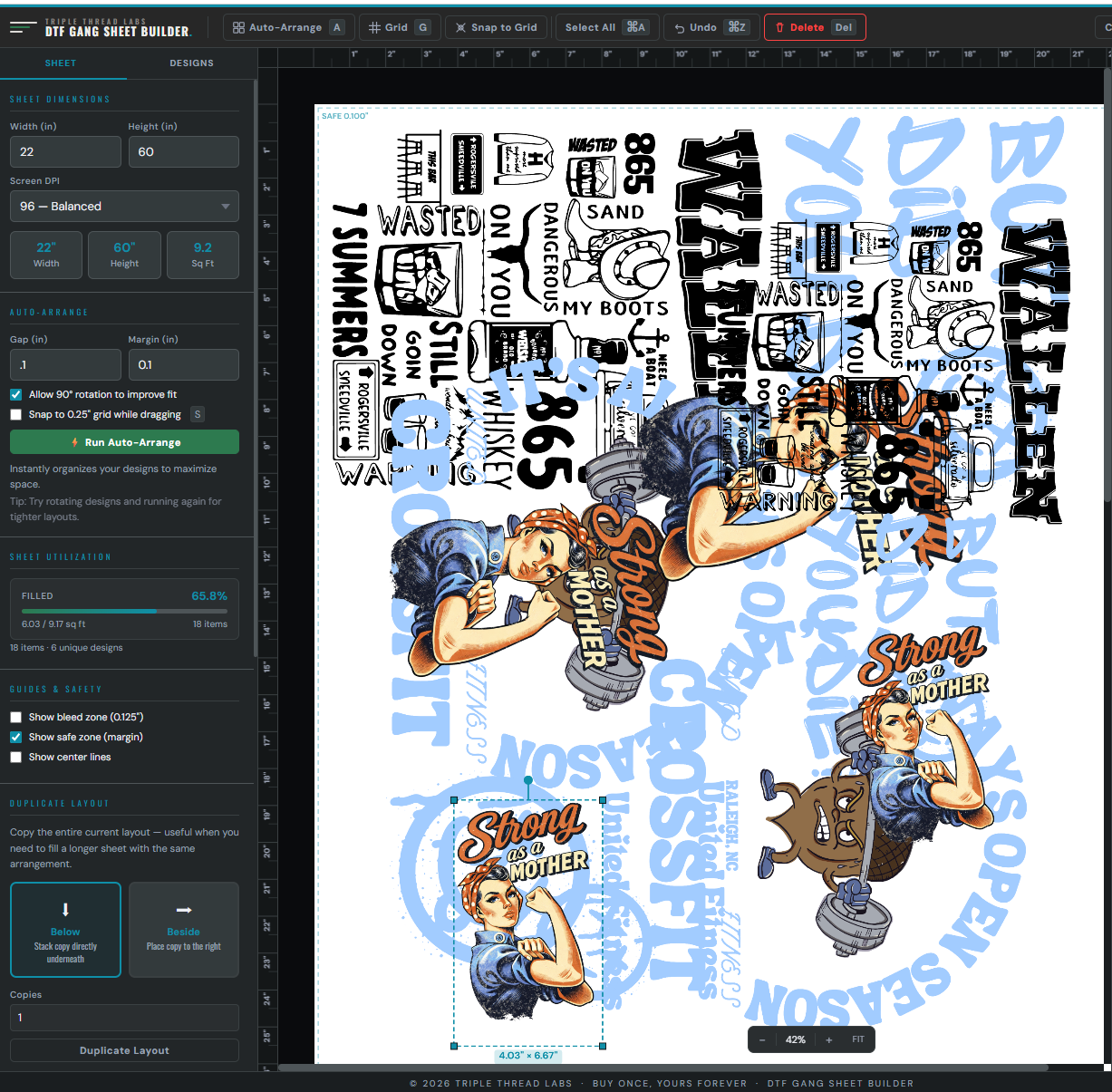
⚡ Auto-Arrange A # Grid G ✕ Snap to Grid Undo ⌘Z 🗑 Delete Del
⬇ Export Sheet 16
Sheet
Designs
Sheet Dimensions
Width (in)
22
Height (in)
60
96 — Balanced
22"
Width
60"
Height
9.2
Sq Ft
Auto-Arrange
⚡ Run Auto-Arrange
Filled 72.6%
16 items · 6 unique designs
SAFE 0.100"
PNG
PNG
PNG
PNG
PNG
PNG
PNG
4.03" × 6.67"
PNG
PNG
Transform
Width
4.03 in
Height
6.67 in
Item Actions
Duplicate ⌘D
Rotate 90° R
Flip H F
🔒 Lock Item
Bring to Front [
Delete Del

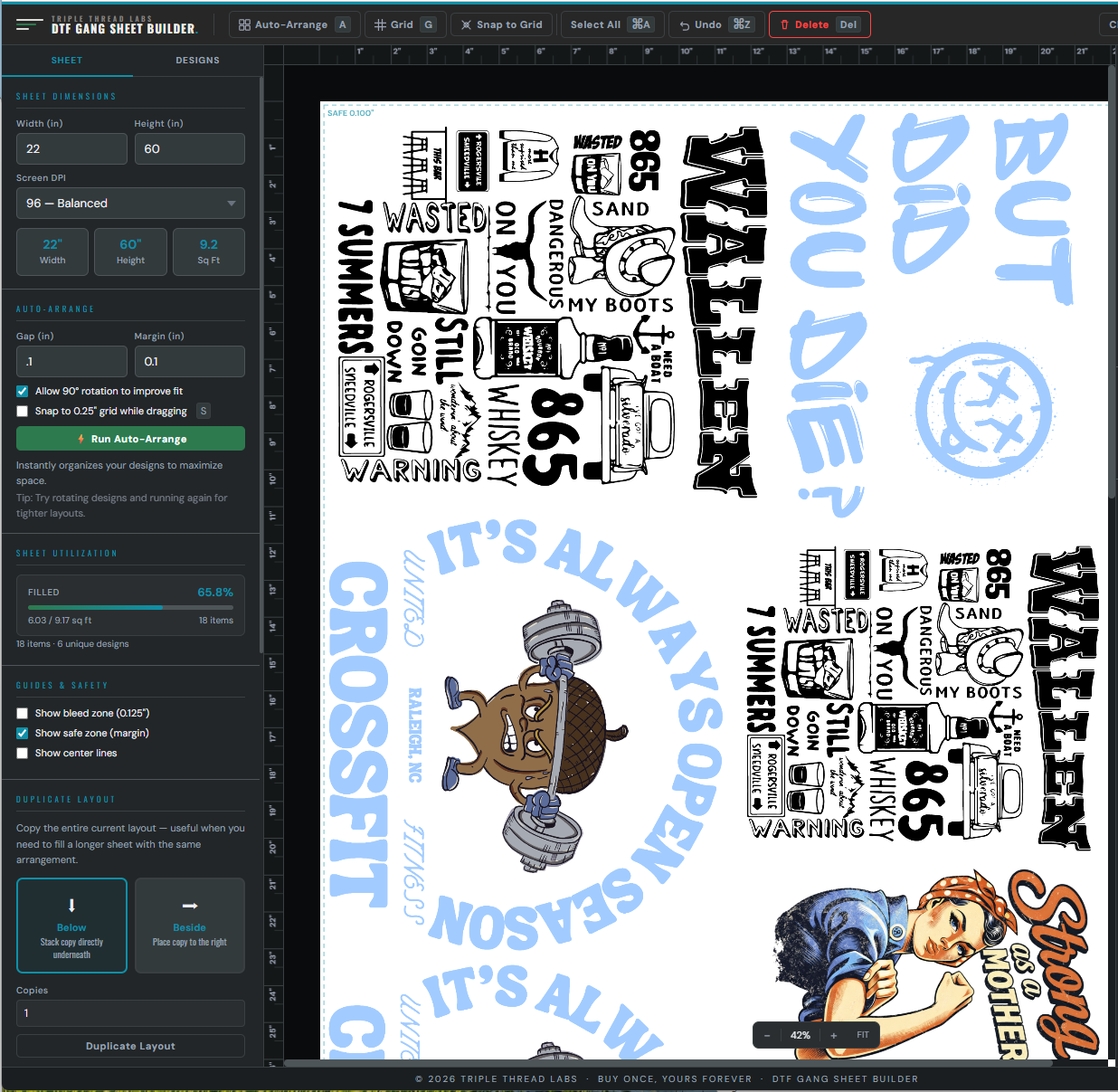
A preview of the actual tool — dark canvas, teal accents, real layout.

Proven on Etsy
Works with any supplier
One-time payment
No install required

Photoshop is expensive. Canva isn't built for this. And doing it by eye every time wastes material and adds 20 minutes to every order.

One HTML file handles the whole process — upload, arrange, space, export. Works with DTFTransfers, Transfer Superstars, your local shop, or anyone who takes a PNG.

What's inside

Everything you need to build and export.

Two files. No upsells.

01 · The builder

Gang Sheet Builder

The full canvas tool — drag, arrange, resize, rotate, export. Runs offline in any browser. No account, no subscription, no internet after download.

02 · The guide

Quick Start Guide

A PDF walkthrough covering the first sheet in under 10 minutes — sheet sizes, DPI settings, how to prep your PNGs, and how to read the export.

Yours forever

Buy once, own it.

No subscription, no renewal, no "pro" tier. The file lives on your device — open it today or six months from now, it works the same.

How it works

Three features that change how you work.

Auto-Arrange

A real packing algorithm, not a guess.

Most people drag designs around until they look right. Auto-Arrange uses a bin-packing algorithm to maximize sheet utilization automatically — showing you fill percentage and square footage so you know exactly what you're sending to the printer.

  • Packs designs for maximum sheet coverage
  • Shows fill % and sq ft used in real time
  • Adjust spacing and margins, re-arrange in one click
Auto-arranged sheet 84% filled
PNG
PNG
PNG
PNG
PNG
PNG
84%
Fill
14.2
Sq ft
7
Designs
Tiled Export

Large sheets, split automatically.

Most DTF suppliers cap uploads at 100". Sheets longer than that need to be split into numbered segments before you send. Tiled Export does this automatically — cuts the sheet, numbers each segment, exports them ready to upload.

  • Splits oversized sheets into numbered PNGs
  • Required by most suppliers for large gang sheets
  • Export as PNG (transparent) or PDF (white bg)
Export Gang Sheet
Export DPI
150 DPI — Recommended for DTF
💡 150 DPI = identical print quality to 300 DPI on a shirt — half the file size.
22" × 60" @ 150 DPI · ~29.7 MP · ~42 MB
⚡ Tiled Export — split into multiple files
Splits the sheet into segments — most suppliers accept tiled files.
Segment height: 48 in 2 tiles · ~23.8MP each
⚡ Export as Tiles
Export Single File
Fill Sheet

One design. One click. Full sheet.

Repeat orders, name drops, single-design bulk runs — pick a design and Fill Sheet tiles it across every available inch of the sheet. What used to take 10 minutes of copy-pasting takes one click.

  • Tiles one design across the full sheet in one click
  • Respects your spacing and margin settings
  • Batch import 20+ PNGs at once to set sizes fast
Fill Sheet — one click
Before
After
Fill Sheet ✓
Questions

Answered before you ask.

Does it work with my DTF supplier?
Yes. It exports a standard PNG with transparent background — the same format every DTF supplier accepts. DTFTransfers, Transfer Superstars, local shops, UV DTF printers — all of them. Presets for 22", 24", 13", and UV DTF 11" are built in. Custom sizes work too.
What DPI does it export at?
You set it. 150, 300, or custom DPI — your choice at export time. Most suppliers want 150 DPI for gang sheets; the Quick Start Guide covers what to use for each supplier type.
Does it work on a Mac and Windows?
Yes. It's an HTML file — it runs in any modern browser on Mac, Windows, or Linux. Chrome gives the best performance for large canvas operations.
Can I use it on my phone or iPad?
Not recommended. The canvas editor needs a mouse and a reasonable screen size to use properly. It'll technically open on a tablet, but it's not built for touch and the experience won't be good. Desktop or laptop only.
Will my session save if I close the browser?
Yes — the tool auto-saves your session locally. You can also manually Save Project to export a full session file (including images) that you can reload later or back up to another machine.
Do I need an internet connection?
Only for the initial download. Once it's on your device, the tool works entirely offline. Your designs stay on your machine — nothing is uploaded anywhere.
Is this a subscription?
No. $34.99 once. No renewal, no account, no expiry. The file is yours.

Build your first sheet in under 10 minutes.

One-time $34.99 · instant download · buy once, yours forever · works offline.

Get the builder — $34.99
$34.99 Get the builder